

Our new product for our ArtStation store: Easy Brush Variation is a ZBrush plugin that helps you get completely random variations of your alpha, helping you to sculpt organic details in a natural random way!
https://www.artstation.com/a/19346799
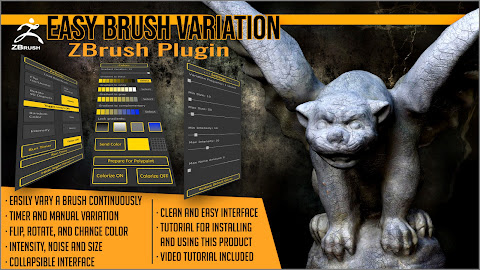


Easy Brush Variation ZBrush plugin
|
Our new product for our ArtStation store: Easy Brush Variation is a ZBrush plugin that helps you get completely random variations of your alpha, helping you to sculpt organic details in a natural random way!
https://www.artstation.com/a/19346799
Easy Toolbox ZBrush Plugin
|
Our new product for our ArtStation store: Easy Toolbox ZBrush Plugin speeds up your workflow, gathering together, in a single interface, many of the most useful functions of ZBrush that you use all the time.
https://www.artstation.com/a/17970415
Power Alphas ZBrush Plugin
|
Our new product for our Arstation store: Power Alphas ZBrush Plugin. Customize and merge your alphas in many ways, using different effects, and add grunge, dirt and splatters to them, rotate them in any angle, and more! Get more from your alphas!
https://www.artstation.com/a/13236665
ZBrush 2021 Trial version
|
Did you know that ZBrush 2021 has a trial version? Yes it has, and lasts 30 days.
https://pixologic.com/zbrush/trial/
According to the page you will be able to use all the features for 30 days, and this way decide if you want to purchase a ZBrush license.
Silo 2021.3 new features
|
Silo 2021 has been updated to 2021.3, and now it includes an amazing feature for making arrays of models. See this video below!
And get Silo and Milo (the Silo viewer using Unreal Engine) at https://www.nevercenter.com/silo/
Power Image Browser: Reference image browser for artists
|
This is our new product for our Artstation store: Power Image Browser: Reference image browser for artists. Power Image Browser is a reference image tabbed browser for artists. It is based on folders, so each tab shows the images that are inside a folder. You can open as many tabs as you need, so you can browse your reference images for each part of your work easier than ever.

Top 20 Sellers at Artstation: Artistic Squad
|

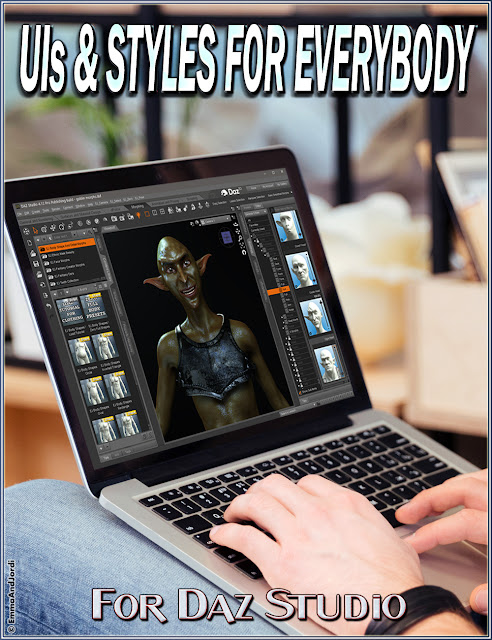
EJ UIs And Styles For Everybody
|
Our new product just released: Daz Studio has never been so easy! With EJ UIs And Styles For
Everybody, beginners and experts can get the most out of Daz Studio.
This product contains 4 interfaces for different levels of Daz Studio
users (Basic, Intermediate, Experienced, and Expert), and 5 color
themes for Daz Studio, integrated help, and a tutorial in pdf.
For Mac and Windows.
See full features and get it here: https://www.daz3d.com/ej-uis-and-styles-for-everybody
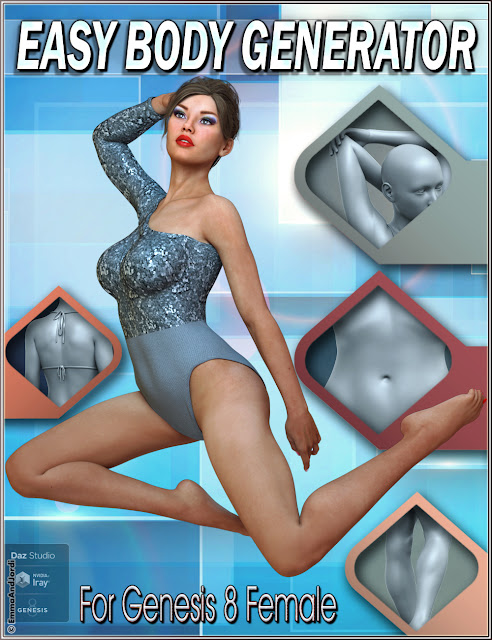
EJ Easy Body Generator For Genesis 8 Female(s)
|
EJ Easy Body Generator For Genesis 8 Female(s) is an easy to use
program that works with you to create body features from scratch. The
computer creates shapes, but you keep the control on how the Generator
does it. You can work on areas (arms, breasts, legs...) or in the full
body at once.
You can use it to create complete bodies from scratch, or to change a
feature of an existing character (it works on all figures and
characters based on Genesis 8 Female), or to get inspired and use the
result as a base for a character.
See images and the many features here: EJ Easy Body Generator For Genesis 8 Female(s)
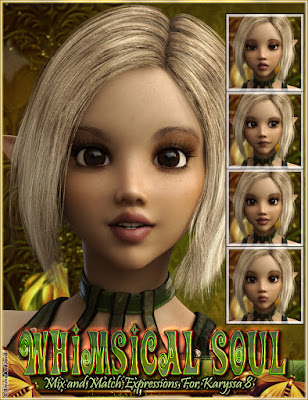
Whimsical Soul Mix And Match Expressions For Karyssa 8 And Genesis 8 Female
|
This is our new product for our Daz3D store: Whimsical Soul Mix And Match Expressions For Karyssa 8 And Genesis 8 Female is a must have expression pack for Karyssa 8 and Genesis 8
Female(s), that consists in expressions organized in three folders
(Full Face, Upper Face, and Lower Face), and you also have pose control
ERC dials to apply each full face expression.
See images and get them here: Whimsical Soul Mix And Match Expressions For Karyssa 8 And Genesis 8 Female
Complete Unity Developer Course For 10 euro 95% off
|
Hurry! Udemy is making a huge sale on their Complete Unity Developer Course, 95% off, so it is only 10 euros. It is a limmited offer than you can't miss!
Get Unity Course for 10 euro
Genetica 4.0 Holiday Discount
|
Genetica 4.0 is at a 40% discount for new licenses as well as upgrades. The latest version brings:
Get Poser 10 New For $100, Upgrade for $60-70 For All !!!
|
GREAT OPPORTUNITY: GET POSER OR UPGRADE
Poser 10 for $100 till end of month. Upgrade from Poser 6-8 for $70, and from 9 for $60:
Get Poser 10 as low as $60 to $100 click here to go to Smithmicro site's offer

Genetica 4: The Essential Pro Tool For Texturing
|
Genetica 4, recently released is becoming s complete suite for texture edition and an environment that has everything you need for creating textures from photos, from scratch, or even from 3d models.
The latest version includes several new features so for better reference for those who already know the application we will discuss them first,and then I will explain the features that were already present in previous versions.
Actually there's a lot that Genetica can do for 3D artists and professionals. Let me focus this review in a pragmatic way, and let's see what kind of things we can do with each feature:
- Adjusters: New in Genetica 4, these are dials and controls that you can add to.a texture r that you create so next time you can modify it just by user input. So now there are two possibilities of manipulating textures: by nodes and by adjusters. This new way allow you to modify the textures easier even if you are not too good at this and at the same time your textures gain flexibility. For example you can add a box to select a texture for a brick of a wall texture and then if anyone wants to generate another brick wall they just have to load another texture for the brick.
- Filters: Also new, these are image effects that you can use to modify any texture. You can also create your own filters.These go from color modifications to visual effects like a peel corner. You can understand that these filters add even more versatility to the texture generators.
- UV Textures: The latest version of Genetica can apply a texture generator to a 3D model that is UV mapped. For this there are several new nodes. You can even apply a lighting environment to the model to simulate a shader and get the UV mapped output.
- PixelScript: Those who are good at programming can now use a scripting language to achieve new effects.This feature will surely be a favorite between advanced users that want to go beyond. If you like graphics programming now you won't miss anything.
These new possibilities are added to a long list that were already present. Here are some of the most exciting of those features:
- Text: I remember that one of the most searched features since the beginnings of 3D is making 3D text. Genetica has tools for making all kinds of text with almost any effect that you can imagine. It's like a 3D text tool, a styles editor all together in a single studio
- Texture synthesis: This is an awesome feature for those who,like me,love photography and 3D. You just have to worry about taking a good capture, and then use a simple method to convert it to a seamless texture. This is a very exciting way to make completely original textures for your works.o
- Work with nodes : In Genetica you build textures using a graphical interface that is completely visual, as most operations are done with drag and drop. You can also learn from the many already existing presets. Nodes are simple pieces that can be connected to others to pursue the perfect result.
- Drawing tools: You have a complete set for drawing shapes directly that includes vector tools so no matter how big you decide to render the final textures they will look great .
-Lighting simulation: They can be applied to any texture, to hdri maps too, and also to 3 D nodes and models. The lighting engine is very good and can really improve your scenes and textures. Textures made with Genetica using these nodes on games can also save lots of cycles because the pre-rendered light can really look so. fantastic without sacrifice of performance
- Genetica can also render maps for bump, reflection, normal, specular components... And you can modify the generators if you need that those maps have special characteristics. It is so good for a 3D artist to be able to generate all these special maps that these feature is something you may probably love.
- HDRI maps: You can take photos yourself or use the huge library to create hdri maps fir reflection and lighting in the most popular and widely used formats. And as the generators can be combined don't forget that you can modify those and get awesome effects. this way.
- Fiber lab: This is the tool for making hair, fabrics and other organic fibers.Having specialized tool sets, Genetica makes this task easier
- And last but not least remember that all textures can be animated and the render sixes can go from 3,000 to 46,000 per side depending on the edition of the software you had chosen.
All that said, We can see that Genetica is a great 3D tool. You can use it to achieve a large number of tasks that include making rendered seamless Textures over 3D models, Creation of hdri lighting maps, professionally drawn textures... If you will you can create every needed image from scratch. You just need a camera and Genetica. It is therefore possible to create completely unique professional 2D and 3D works. And of course you can also make use of the huge library that comes with Genetica for any project, as you are granted a royalty free license to use it for professional and personal work.
With the new features of Genetica 4, the application has become an undoubtedly essential tool for 3D artists that should be in the toolbox of all content creators and enthusiasts .
Zoner Photo Studio PRO 30% off
|
Think of all the activities coming up on your calendar - and all the photos you'll be taking. Perfect and preserve those moments with Zoner Photo Studio PRO - now at 30% off.
Just think how good you will look!
Act by 6/16 to save $21.
Genetica 4.0 Released
|
Spiral Graphics Inc. has released Genetica 4.0, the new version of its seamless texture, animation, and HDRI environment map editor.
Soon you will be able to read a review of Genetica 4.0 here, for now here you are a short brief:
Significant new capabilities added in Genetica 4.0 are:
About Genetica
Genetica is a node-based graphics application that allows artists to non-destructively build textures and effects. It has been used on countless projects ranging from computer games, to television programs, to architectural projects.
With Genetica artists can:
- Generate procedural images by stringing together different types of nodes.
- Create seamless textures directly from photographic sources.
- Enjoy the industry's only professional-level drawing tools that produce seamlessly repeatable results.
- Generate effect maps such as height and specular maps.
- Make HDRI lighting environments and cube maps for realistic reflections.
- Create looping animated textures such as burning fire or rippling water.
Genetica is available in Basic, Pro, and Studio editions. The differences between the editions are explained in this table.
Genetica 4.0 Announced
|
Spiral Graphics Inc. has announced Genetica 4.0, a momentous new version of its seamless texture, animation, and HDRI environment map editor. The new version, anticipated for release in the first quarter of 2013, can be preordered for a 40% discount.
Key features of the new version include:
A beta of the new version is expected in early 2013, with the final release slated for the first quarter. Genetica 4.0 will be available for Windows XP and above.
A public announcement of Genetica 4.0 was posted to Spiral Graphics’ website. The company has also announced a 40% discount for Genetica 4.0 preorders, available both for new licenses as well as upgrades.
About Genetica
Genetica is a node-based graphics application that allows artists to non-destructively build textures and effects. It has been used on countless projects ranging from computer games, to television programs, to architectural projects.
With Genetica artists can:
- Generate procedural images by stringing together different types of nodes.
- Create seamless textures directly from photographic sources.
- Enjoy the industry's only professional-level drawing tools that produce seamlessly repeatable results.
- Generate effect maps such as height and specular maps.
- Make HDRI lighting environments and cube maps for realistic reflections.
- Create looping animated textures such as burning fire or rippling water.
Genetica is available in Basic, Pro, and Studio editions. The differences between the editions are explained in this table.
Recommended Soft: Zoner Photo Studio 15 PRO
|
Zoner Photo Studio 15 PRO is the perfect tool for all those who love photography, and a must have for professional photographers. This new edition introduces more and more improvements on the tools it already possesed, and new tools that can improve the variety of techniques that your portfolio can show, and at the same time saves you lots of money in time and equipment.

For those who still don't know, Zoner Photo Studio is a complete photo software that stands out of the rest for its ease of use, quantity and quality of features, and because it is specially conceived for photographers.
I say this because most of the software that claims to be a photo studio out there are in fact just graphics editors. You often find color and levels adjustments and some tools in them. But after trying to use them to improve, beautify, and create photo effects, they irremediably fail when compared to Zoner.
Zoner Photo Studio 15 PRO is the latest version of this software, which was released in October. I know this program since I began testing it at version 9, and since them I have reviewed it and always found the same in each update: a continuous improvement. The old features get constantly improved in quality, effectiveness and even in aesthetics and ease of use. And new features, all related to what you can do with your camera, are added.
The appearance of Zoner Photo Studio is also modern, intuitive, and the dark gray colors, so popular on most graphics software, really help to relax your eyes and focus on the photos.

In this version, many tools have been improved. They were very good in the previous, but now they are even better.
Something that you will find in Zoner Photo Studio is that you can save your presets for everything. This, added to the capability of customizing all the toolbars, really boosts your productivity at photography edition. It is possible to batch process a large number of files, and in RAW mode you can edit your source raw files and add them to a queue so they are later processed (very fast) while you do something else.
This really saves you a lot of time, and even more, makes possible to create your "style" of photo retouch. I save some of my color adjustments, and use them over and over because I like them, like for example that shade of golden and brown in many of my photos. It is of the the particular retouches I make often. So when it comes to modify the colors of a photo to improve it, I simply scroll in the tool through my saved presets to find the one that best improves the feeling of the photograph.
A new tool for using this kind of operations has been introduced: the Quick Edits panel. It is a sidebar panel that by default allows to make modifications in the shadows, highlights, colors, etc of a photo. You can then save these settings and use them the next time as a preset. While you change it, you can see the preview of the photo, and choose to apply or change it.

This panel also appears sometimes when using some of the tools, like the Place Text tool, and is a very good improvement because it allows to see what you do much better than the floating window of previous versions. It also helped me to be more conscious of some options that were already there but less visible or obvious, like the Effects for the Text tool.
The settings you have and others are also available in this sidebar panel. You can create and use yours and others that come with the application, like those that make your photos look like Lomo photograpphy or like made with a Polaroid, and you will also find other popular and modern lookings very used in model and outdoors photography.
The process of importing photos from your camera or its card has also been improved, now it is more integrated, and also makes use of a sidebar panel that gives you many options, which include adding some data while importing like your name and copyright.
You can also batch edit your photo tags and data, and later use a new Quick Search tool to find them in the catalogs. Zoner Photo Studio is also a very complete photo cataloger, very powerful when using these functions.

Anyway, if you prefer to deal directly with files and folders, you have an excellent browser folder and Manager, with favorites, filter, special selections, and lots of sort methods based on any of the characteristics of your photos and files. I use all these features contnuously both for photos and any other graphics, and found them very powerful and comfortable to use. You can do like me and configure ZPS as the main viewer for all your graphics when you install it, which is really recommended because it is much more usable and powerful than the default Windows viewer.
You will also find new buttons for the filmstrip to be available in the Editor tab, and set it on and off. This filmstrip was introduced in previous versions, and improves very much the browsing and comparison of photographs.
Those who have cameras that take photos on JPG format, or those who choose to use it, will be more than happy with the new automatic synchronization and backup of originals. This prevents you from ruining your sources, because it saves a copy of them.
The Colors editor has also been improved with a new Vibrance slider that allows you to alter how vivid are the colors of a photo. It is really worth experimenting with it, and as the original tool had already so many slides, it widens much more the quantity of achievable effects for creating your style of edits, as I said.
Zoner Photo Studio is also probably the easiest HDR software out there. Others force you to understand and make complicated operations on your camera and the editor. Zoner is so powerful that it can make all kinds of HDR manipulations in any single photograph.

The HDR features allows you to make lots of things that otherwise may be impossible, like revealing details in lights and shadows, intensify the colors in a supernatural way that makes photos look like another world, sharpening good photos to make them absolutely detailed...
One of the kinds of HDR, Tone Mapping, has been improved to add a new Contrast method, which gives a more dramatic effect to your creations. HDR lovers will be mad for this feature.
There is also space for fun, with the new Place Shape tool, which includes comic blurbs. It is a very fun addition for holiday cards, and can also be used more seriously to make small comics in a fast way.
Want more? What if I told you that the tool to turn your photos into 3D has added lots of new 3D formats and now you can see your photos in a 3D television even without glasses? Imagine turning all the photos of your last trip to 3D and being able to visualize them in a 3D device and feel like you are still there, looking at those places like through a window. This is a very exciting feature that can be enjoyed by those who have a 3D TV. But remember that you still have the possibility to turn them into other 3D formats that are cheaper like the good old anaglyphs.
Even more, if you need a portfolio and want it to be super-easy, all the Zoner users can directly upload their photos to Zonerama, which is as easy and copying them to the folders that appear simply pressing the Zonerama buttom in ZPS. With version 15, you can edit the photos that you have in your Zonerama portfolio directly from inside the Studio.

Other features have been added, like a new integrated help and update bar that makes even better to access the help, and also a tour for beginners (although the program is so easy that you can just simply start using it and discover all while using).
The Star: Tilt-Shift
The star of this update is the Tilt-Shift tool, which emulates the lens with the same name, and the photography technique used to make real photos of landscape, usually urban and taken from a high place like a tower, to look like miniatures.

Tilt-Shift is a lens that is twisted in a way that the photo it takes has blur located on some sides and with some angle. These lens use to be very expensive. Last year appeared some that was quite easy to use but still very expensive for most people. The use of this lenses is also not too easy, and takes some time to master them.
With Zoner Photo Studio 15 PRO you can simply turn any photo into a tilt-shifted one. The easy access to the parameters and visual tools to setup the tilt-shift makes possible to master it from the first moment.
Use your imagination and soon you will be using this tilt-shift feature for many other subjects on your photos, not only for landscape but also for creating fake macros, artistic portraits, and many others.
Getting ZPS 15 PRO now is the perfect way to get this and other photo tools available to you.
Recommendation
If you get Zoner Photo Studio 15 Pro, you are doing an excellent purchase as a photographer. The reasons are because you save in equipment, in software, and in time, and get increased artistic possibilities.
You save in equipment because:
- You have HDR available to you, even with cameras that are not specially built for that. With any photo, from any camera, Zoner can make use of HDR techniques
- You have a Tilt-Shift tool that you can apply to any photo
- You have gradient tools that substitute the gradient colored filters for cameras
- You have a very effective levels tool that can eliminate the haze better than most expensive filters do
- You can shoot without tripod and then improve the sharpness of the foto to perfection using the RAW module
- You have lots of filters and effects, and can save color presets that equal the classic chemical labs of the past
You save on software because Zoner Photo Studio is, all in one:
- A photo editor with lots of filters and tools
- A photo cataloguer
- A web gallery builder
- A HDR tool with all kinds of HDR available to you
- A very fast RAW viewer
- A tool to make calendars, postcards, flyers, etc
- A slideshow presentation tool
- A DVD maker for your photos
- And many more to mention here!
For anyone that wants to master photography and become a real artist, I would recommend: get a reflex digital camera, get a 50mm lens, and get Zoner Photo Studio Pro.
Because you will develop your artistic skills with this application. It is so intuitive and powerful that you will soon find yourself concentrated in what you wish to create with your photos. Soon, the interface becomes part of you and it is just a way to communicate and express.
By giving so many tools, in such an intuitive way, it lets you express yourself artistically. The effects and tools do what you expect of them, and often surprise you with the results, helping you to create stunning results.
It is a good purchase for you, if you are a photographer or if you simply love to take photos. It is a perfect gift for someone you know that loves taking photos. Give it a try, get the demo, and soon you will know it is the tool you need.
Poser Debut FREE TODAY ONLY
|
Hurry! Just for today, Poser Debut is free at Content Paradise.
Poser Debut is the lesser edition of Poser, very recommendable for those that did not use Poser before. Now it’s free for just 1 day if you download it now.
Zoner Photo Studio 14 FREE
|
One of the greatest free photo managers is now even better. Three months after releasing its flagship -Zoner Photo Studio 14 PRO, there is now a free edition of this all-in-one solution for all camera users. It is based on groundbreaking technologies used in the paid version and moreover it is completely free.
Even the most inexperienced photography fans will be excited with how quickly and easily you are able to manage, edit and share your photos with mind-blowing results. Zoner Photo Studio FREE is a popular toolkit taking care of all your work with photos. It’s range of functions are vast: from complex editing tools to professional management of your files.
Ales Hasala, development team director, is glad to comment on the features of the new version, “Users will definitely appreciate the new editing features. The already wide range of features like shadow brightening, clone stamping, panorama photography and advanced red eye reduction have been enriched with new functions and tools like Deform tool which helps with popular tasks like slimming a person’s figure or advanced facial adjustments to name a few. But what I am most proud of is the integration with our photo sharing service, Zonerama.com“
Zonerama.com is a new, attractive web photo sharing service that gets users’ pictures looking great on the Web. Zonerama’s creators explained, “What Zonerama means for users is easy online photo presentation. Even though it’s on the web, there’s no need to visit a website. You can work directly from inside Zoner Photo Studio.“
Zoner Photo Studio FREE is for personal, non-commercial use on single computers. Download it at http://www.zoner.com/ww-en/download-photo-studio-free or http://free.zoner.com/download.asp. It is available in English, German and Russian.
You can also try and compare Zoner Photo Studio 14 PRO to the FREE edition. Visit www.zoner.com to find more information.


 Hiperia3D News is a Netbeans Community Partner, in recognition for developing the X3DV Module Suite and contributing to the promotion of Netbeans.


